Quick start
Make your first API request and choose the right integration path.
Obtain an API Key
Option 1: MuseDAM administration
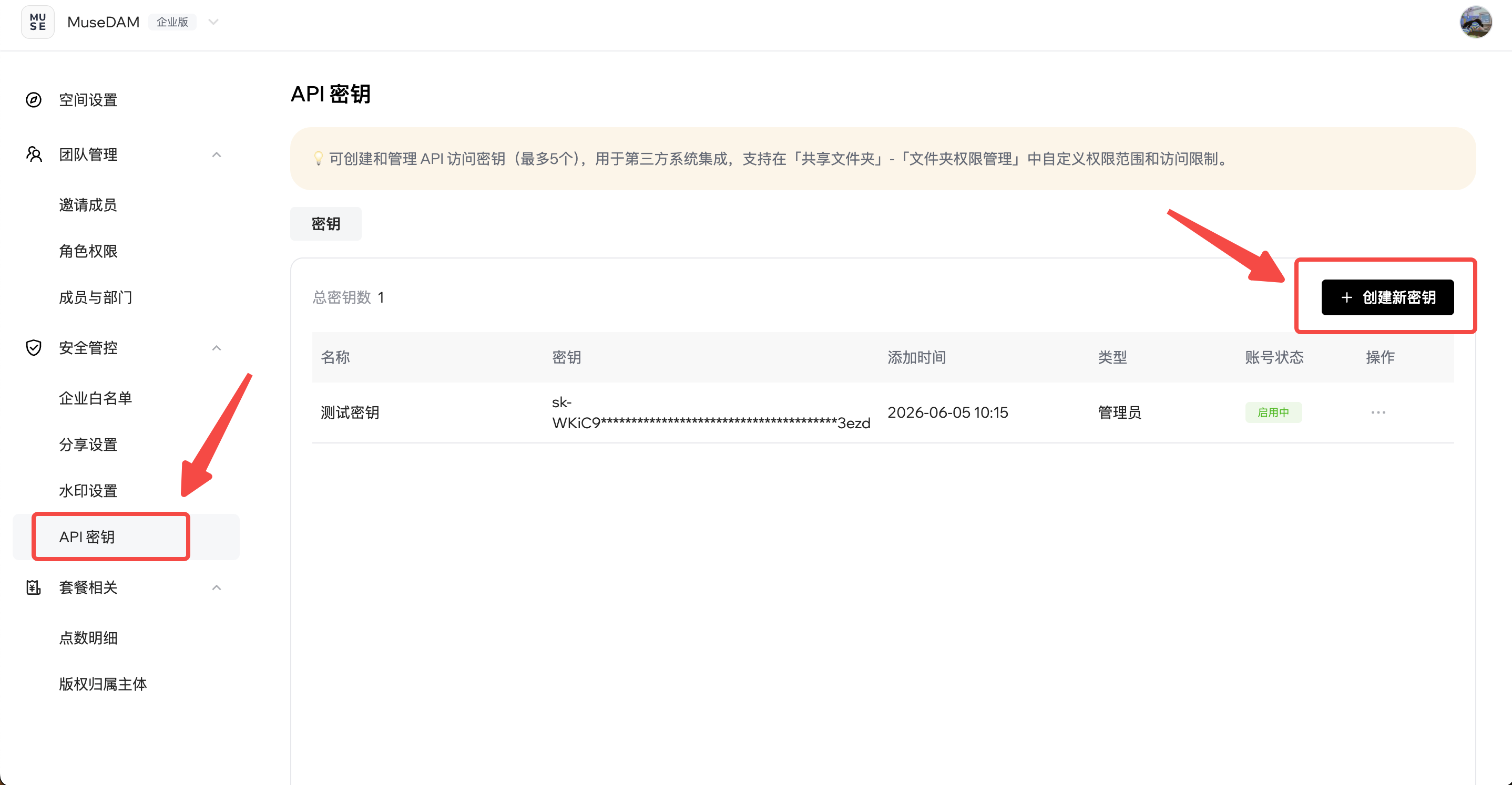
- Sign in as an administrator and open MuseDAM Settings and Members.
- Open Security Controls → API Keys.
- Select Create New Key.
-
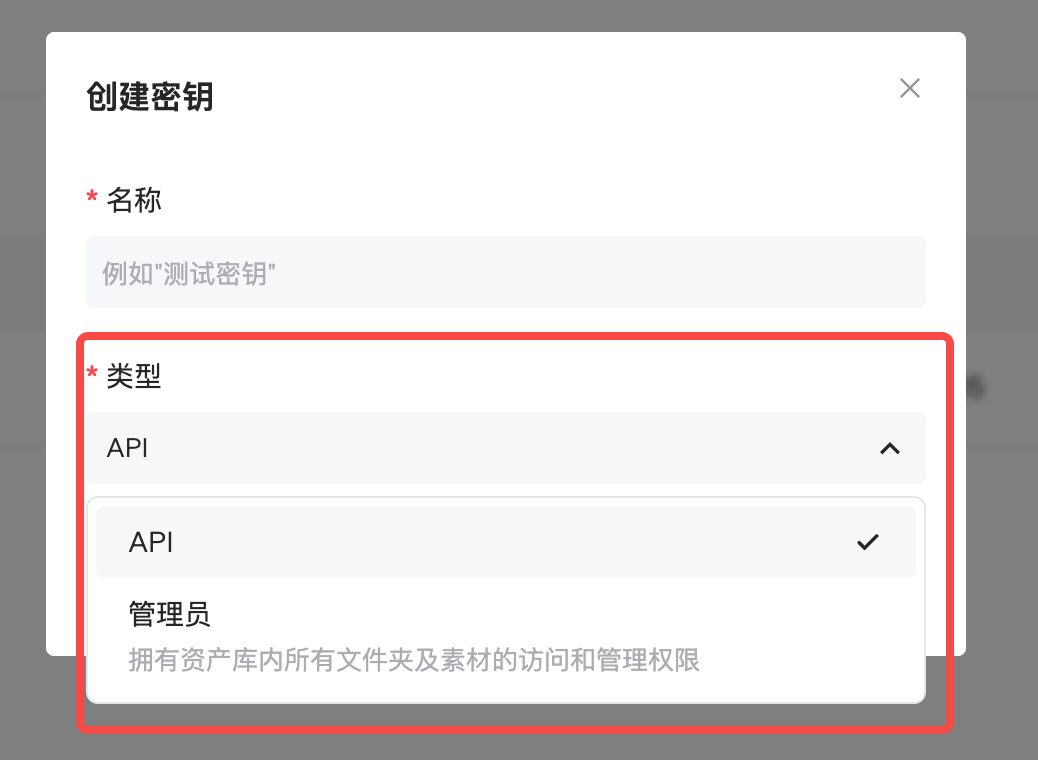
Name the key and choose its permission type:
- API permissions: access assets in specified folders.
- Admin permissions: access all assets in the library.
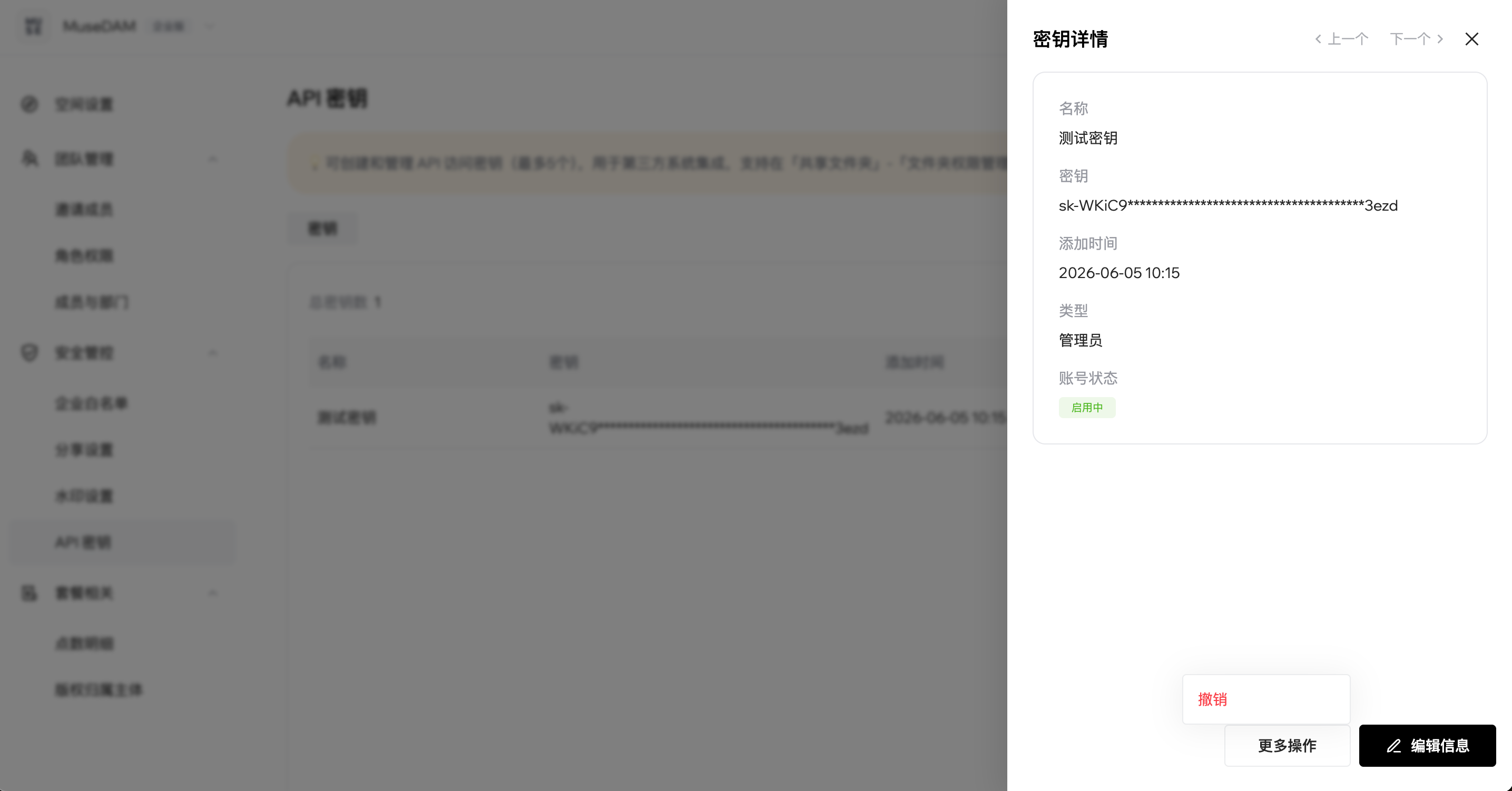
- Save and copy the API Key. It is shown only once.
For API-scoped keys, administrators must configure the allowed folders and access restrictions under Shared Folders → Folder Permissions.
Option 2: Third-party application API
Read app authentication and installation
After an enterprise administrator enables and authorizes an application, it can use appId and appSecretKey to manage API Keys, then call the Open API with the issued key.
Authentication
Include authentication in every API request:
Authorization: Bearer your_api_keyContent-Type: application/json
Integration recommendations
Call the API from your backend rather than directly from browser code:
- Keep API Keys out of client-side code.
- Prevent unauthorized access.
- Apply additional access controls and request limits on your server.
- Centralize API usage management and monitoring.
Your frontend should send requests to your own backend, which calls MuseDAM on its behalf.
Make your first request
Set MUSEDAM_API_KEY in your server environment, then run the command below. Mainland China and overseas accounts use different API domains. This English example uses the overseas endpoint.
curl --request POST 'https://open.musedam.ai/api/muse/search-assets' \--header "Authorization: Bearer $MUSEDAM_API_KEY" \--header 'Content-Type: application/json' \--data '{"keywords": ["brand"], "startPoint": 0, "endPoint": 10}'
Handle the response
Read result.assets and result.total. For empty results, check the search criteria and folder permissions. Save traceId from failed responses for troubleshooting.